> For the complete documentation index, see [llms.txt](https://atomoh.gitbook.io/kubernetes/llms.txt). Markdown versions of documentation pages are available by appending `.md` to page URLs; this page is available as [Markdown](https://atomoh.gitbook.io/kubernetes/service-mesh/istio/security/02-authentication.md).
# 인증
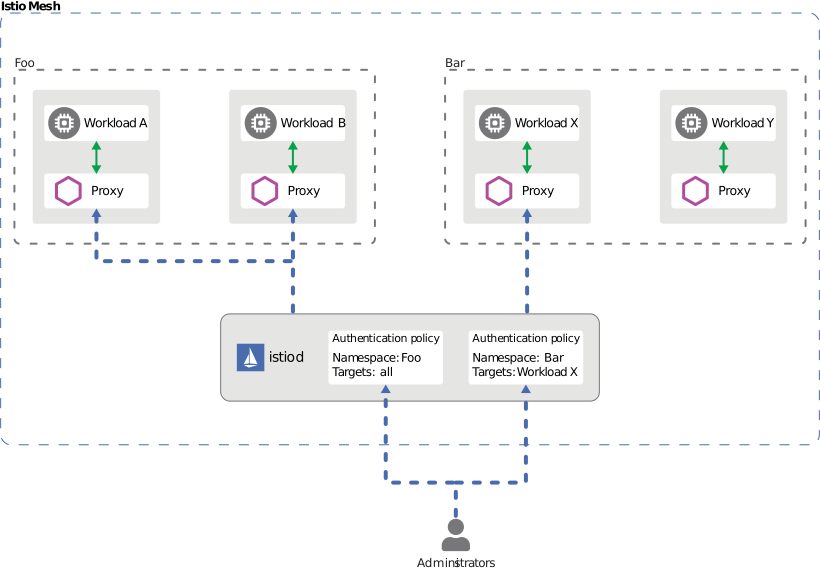
Istio는 서비스 간 인증(Peer Authentication)과 최종 사용자 인증(Request Authentication)을 지원합니다.
## 목차
1. [인증 개요](#인증-개요)
2. [Request Authentication (JWT)](#request-authentication-jwt)
3. [OAuth/OIDC 통합](#oauthoidc-통합)
4. [실전 예제](#실전-예제)
5. [문제 해결](#문제-해결)
## 인증 개요
Istio는 두 가지 유형의 인증을 제공합니다:
1. **Peer Authentication (서비스 간 인증)**
* mTLS를 사용한 서비스 간 인증
* SPIFFE ID 기반 신원 확인
* PeerAuthentication CRD로 구성
2. **Request Authentication (최종 사용자 인증)**
* JWT 토큰 기반 사용자 인증
* OAuth/OIDC 제공자 통합
* RequestAuthentication CRD로 구성
```mermaid
flowchart TB
User[사용자]
subgraph AuthProvider["인증 제공자"]
OAuth[OAuth/OIDC
Provider]
end
subgraph Gateway["Istio Gateway"]
ReqAuth[Request
Authentication
JWT 검증]
end
subgraph Services["서비스"]
App[애플리케이션]
end
User -->|1. 로그인| OAuth
OAuth -->|2. JWT 토큰| User
User -->|3. JWT 포함 요청| ReqAuth
ReqAuth -->|4. 검증 성공| App
ReqAuth -.->|검증 실패| User
%% 스타일 정의
classDef user fill:#f9f9f9,stroke:#333,stroke-width:1px,color:black;
classDef auth fill:#FF9900,stroke:#333,stroke-width:1px,color:black;
classDef gateway fill:#326CE5,stroke:#333,stroke-width:1px,color:white;
classDef app fill:#00C7B7,stroke:#333,stroke-width:1px,color:white;
%% 클래스 적용
class User user;
class OAuth auth;
class ReqAuth gateway;
class App app;
```
## Request Authentication (JWT)
### 기본 JWT 검증
```yaml
apiVersion: security.istio.io/v1
kind: RequestAuthentication
metadata:
name: jwt-auth
namespace: default
spec:
selector:
matchLabels:
app: myapp
jwtRules:
- issuer: "https://accounts.google.com"
jwksUri: "https://www.googleapis.com/oauth2/v3/certs"
```
### 여러 Issuer 지원
```yaml
apiVersion: security.istio.io/v1
kind: RequestAuthentication
metadata:
name: multi-issuer-jwt
namespace: default
spec:
jwtRules:
- issuer: "https://accounts.google.com"
jwksUri: "https://www.googleapis.com/oauth2/v3/certs"
- issuer: "https://login.microsoftonline.com/tenant-id/v2.0"
jwksUri: "https://login.microsoftonline.com/tenant-id/discovery/v2.0/keys"
```
### Custom Header
```yaml
apiVersion: security.istio.io/v1
kind: RequestAuthentication
metadata:
name: jwt-custom-header
namespace: default
spec:
jwtRules:
- issuer: "https://auth.example.com"
jwksUri: "https://auth.example.com/.well-known/jwks.json"
fromHeaders:
- name: "X-Auth-Token"
prefix: "Bearer "
```
## OAuth/OIDC 통합
### AWS Cognito
```yaml
apiVersion: security.istio.io/v1
kind: RequestAuthentication
metadata:
name: cognito-jwt
namespace: default
spec:
jwtRules:
- issuer: "https://cognito-idp.{region}.amazonaws.com/{userPoolId}"
jwksUri: "https://cognito-idp.{region}.amazonaws.com/{userPoolId}/.well-known/jwks.json"
```
### Keycloak
```yaml
apiVersion: security.istio.io/v1
kind: RequestAuthentication
metadata:
name: keycloak-jwt
namespace: default
spec:
jwtRules:
- issuer: "https://keycloak.example.com/auth/realms/myrealm"
jwksUri: "https://keycloak.example.com/auth/realms/myrealm/protocol/openid-connect/certs"
```
### Auth0
```yaml
apiVersion: security.istio.io/v1
kind: RequestAuthentication
metadata:
name: auth0-jwt
namespace: default
spec:
jwtRules:
- issuer: "https://your-tenant.auth0.com/"
jwksUri: "https://your-tenant.auth0.com/.well-known/jwks.json"
audiences:
- "https://your-api.example.com"
```
## 실전 예제
### JWT 검증 + Authorization
```yaml
# JWT 검증
apiVersion: security.istio.io/v1
kind: RequestAuthentication
metadata:
name: jwt-auth
namespace: default
spec:
selector:
matchLabels:
app: myapp
jwtRules:
- issuer: "https://auth.example.com"
jwksUri: "https://auth.example.com/.well-known/jwks.json"
---
# JWT 없으면 거부
apiVersion: security.istio.io/v1
kind: AuthorizationPolicy
metadata:
name: require-jwt
namespace: default
spec:
selector:
matchLabels:
app: myapp
action: DENY
rules:
- from:
- source:
notRequestPrincipals: ["*"]
```
## 문제 해결
### JWT 검증 실패
```bash
# 1. RequestAuthentication 확인
kubectl get requestauthentication -A
kubectl describe requestauthentication -n
# 2. JWT 토큰 디코드
echo "" | cut -d'.' -f2 | base64 -d | jq
# 3. JWKS 엔드포인트 확인
curl https://auth.example.com/.well-known/jwks.json
# 4. Envoy 로그 확인
kubectl logs -c istio-proxy -n | grep JWT
```
## 참고 자료
* [Istio Request Authentication](https://istio.io/latest/docs/reference/config/security/request_authentication/)
* [JWT Authentication](https://istio.io/latest/docs/tasks/security/authentication/authn-policy/)